Changing the verbosity of wpa_supplicant on Ubuntu

Sometimes you need to change the log verbosity of wpa_supplicant for debugging purposes. First check which log verbosity you are currently running with.

ps -ef | grep wpa_supplicant | grep -v grep

-d represents verbose
-dd represents extra verbose

To change the log verbosity, edit /usr/share/dbus-1/system-services/fi.epitest.hostap.WPASupplicant.service and add -d or -dd as appropriate. Example:

[D-BUS Service]
Name=fi.epitest.hostap.WPASupplicant
Exec=/sbin/wpa_supplicant -u -d -f /var/log/wpa_supplicant.log
User=root

Restart NetworkManager and run the check again to see which log verbosity you are running with.

Baltic cruise: Oslo

Our final port of call was Oslo in Norway.

The port of Oslo is reached by travelling up some 60 miles of the narrow Oslofjord. Of course the ship has to slow down as it passes through the narrow channel, giving everyone on deck a stunning view. Here are my photographs of the approach to Oslo.

First we were met by a pilot boat to help guide along the fjord. The pilot boat drew up along one side of our ship then suddenly U-turned and crossed the water directly behind us, in our churning wake, before drawing up on the other side of us. I presume the captain of the boat knew what he was doing, but I wouldn’t fancy crossing only metres behind a huge ship with 20 megawatts of power!

The pilot boat
Oslofjord

Passengers stand on our ship and watch both sides of the fjord pass by.

Passengers watch the Oslofjord pass by
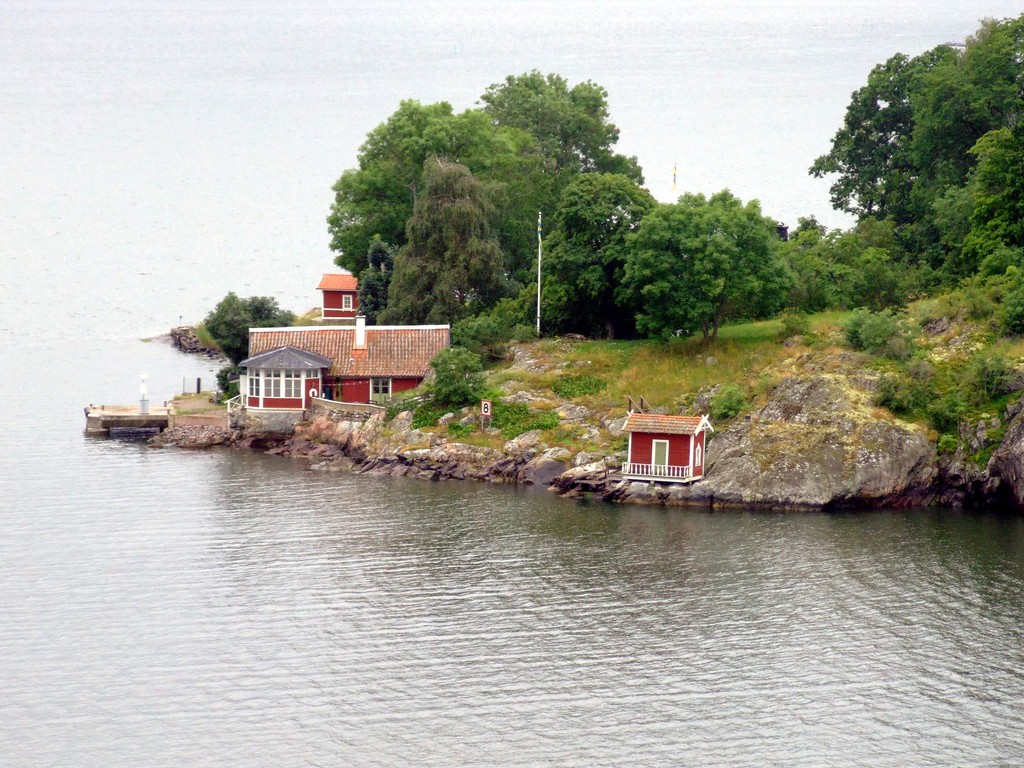
Houses by the fjord
Oslofjord

It really is a strange experience, standing at the top of the front of a 90,000 tonne ship, gliding silently through a narrow fjord. Fortunately the cocktail waitress was waiting at the ready (at 9:30am).

Gliding through the fjord

We were treated to another day of fine weather. You can see from this photo how bright the sun is, and how little the wind is disturbing the Norwegian flag that was flown with pride on the Jewel.

The mast of the Jewel

And finally, the port was in sight.

The city of Oslo

Right beside the dock stands the Akershus Fortress. Once the ship was in dock, it was too close to get a good view of the fortress, but luckily I took this shot minutes before the ship docked.

Akershus Fortress

Once docked, the first attraction we visited was the Akershus Fortress – a leisurely twenty paces from the ship’s gangway. Here are some of the family at the top of fortress, inspecting the ship.

My family in Akershus Fortress

The fortress also afforded nice views of the sailing boats tied up in the dock.

Oslo dock

I saw an unusual sculpture a bit further into the town. When viewed straight on, it appears to be a standard sculpture of a face. It’s not until you see it from the side that you realise it’s carved into the stone, in a concave shape.

A sculpture in Oslo

Perhaps not very typically Norwegian – we saw a huge bronze tiger which bit Oliver!

A tiger in Oslo

We went to see Oslo Cathedral but unfortunately it was closed for refurbishment. If you compare my photo with the one on the Wikipedia page, you can see how clean and shiny the spire is now – so they must be doing a good job.

Oslo cathedral
Oslo cathedral

The pedestrian crossing lights in Oslo have two red men and one green man. I couldn’t work out the purpose of the second red man, as you never see one without the other – only both at the same time.

Norwegian traffic lights

The Oslo City Hall is a bit of an ugly building, and it also has too many architectural styles crammed into one build. It has brown brick, grey stone, classical carvings, modern carvings and a rather unusual carillon on the top.

The City Hall

This is a photo of one of the more modern carvings on the side of the building.

Carvings on the City Hall

As the afternoon wore on we returned to the ship, but not before I’d taken some photos of the sailing boats in the dock.

Oslo dock

We were due to sail out of Oslo at 8pm (before it was dark). However, one of the lifeboats failed a routine safety check so the ship was unable to set sail until it had been repaired. It grew darker, and I went up on deck with my tripod and took some night shots of the cityscape.

Oslo by night
Oslo by night

Baltic cruise: Tallinn

Another day, another country. Today we are in Tallinn, Estonia.

Despite being quite far North and, you’d expect, quite cold, the climate was almost Mediterranean while we were there. The locals said it was freakishly hot and they never had weather like this. The sky was clear and blue and the sun was beating down.

In the port, there was a small market set up, mainly selling tourist novelties. The trademark gift seems to be palm-sized porcelain houses; some with a place to put incense so smoke comes from the chimney. But there was a large variety of different gifts, which was a refreshing change from some of the tourist markets we’d seen in other countries, where every stall had near-identical copies of precisely two varieties of gift.

This photo was taken from the dock market. You can’t really comprehend how huge these ships are until you walk between them.

MSC Ocean & MS Jewel of the Seas

It was only a short walk to reach the old town, which has a strange medieval feel and cobbled streets. For some reason, this building has a Swedish flag.

A building in Tallinn

Only a few steps away from the building above, I saw this colourful door.

A painted door

Minutes later, we reached the town square, Raekoja plats. There is a lively market here, and an imposing town hall (although behind the camera in this photo).

Tallinn square

I still can’t work out what this shop sells. Textiles, glass, ceramics, and err, schmuck?

Art shop

The old town in Tallinn is split into two halves – the upper and lower parts. You can get between the two parts in several places but the paths are quite steep. Here Edmund is walking up to the upper half.

The upper and lower towns of Tallinn

Perhaps the most impressive building we saw in Tallinn is the Alexander Nevsky Cathedral, an orthodox church.

Alexander Nevsky Cathedral

I love the cathedral’s onion domes.

Alexander Nevsky Cathedral

We went into the cathedral too. It was filled with lavish gold decorations and paintings but we were requested not to take photos. So you’ll have to make do with another photo of its beautiful exterior.

Alexander Nevsky Cathedral

A short walk brought us to St Mary’s Cathedral, a the city’s Lutheran cathedral.

St Mary’s Cathedral
St Mary’s Cathedral

Just as we had looked up into the upper town earlier on in the day, we found a viewpoint in the upper town to look over the lower town. Here you can see the new city in the background.

Tallinn’s lower old town

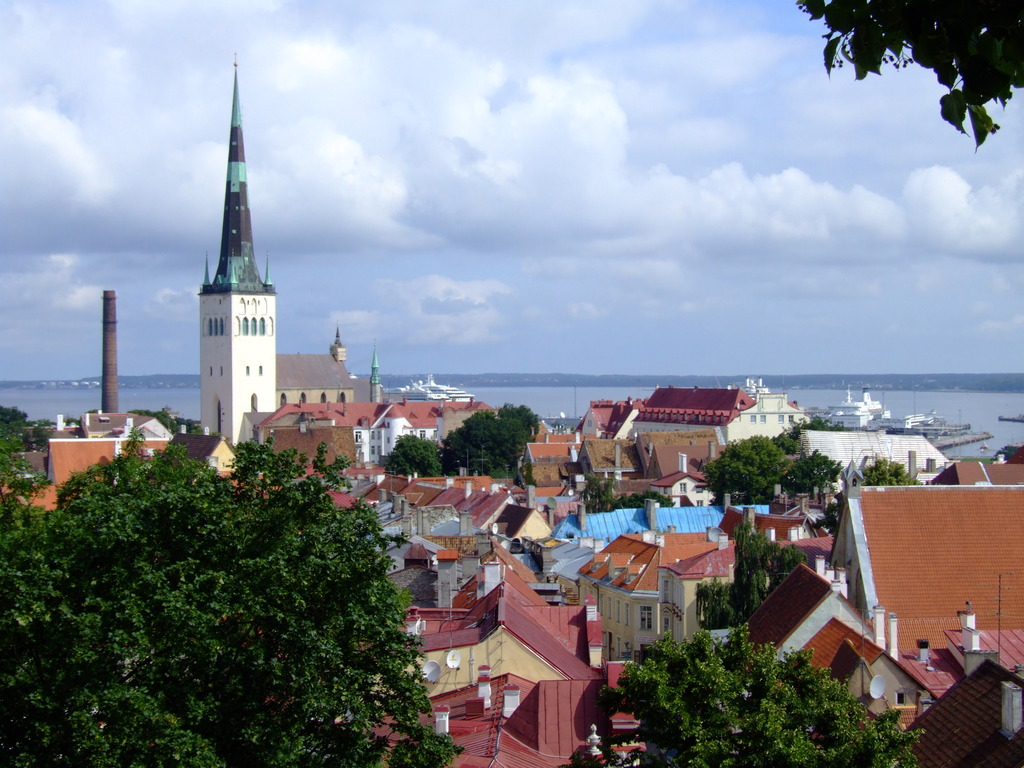
This view shows St Olaf’s church, and you can also see our ship in the dock.

Tallinn’s lower old town

Descending back into the lower town on our way back to the ship, we spotted some seats on the slope for fat tourists to rest on as they climb the (short) hill. My young, fit brothers apparently needed a break on the way down, though.

Between Tallinn’s upper and lower towns

After we left port it was a long journey to Oslo, and we sailed off into the sunset.

Sailing into the sunset

Oour route took us back under the Great Belt bridge (Storebæltsbroen) which joins two Danish islands. It was truly spectacular to sail under the bridge, but near impossible to capture on camera. These photos are awful, but hopefully interesting.

Storebæltsbroen

Apparently the ship was designed with this bridge in mind and passes only a couple of metres below the bridge deck! As we passed underneath, I was almost certain there would be a loud scraping noise as the Viking Crown Lounge was ripped off.

Storebæltsbroen

To be continued…

DV editing on Fedora

Recently, a friend asked me if I could copy her home videos from a miniDV tape onto a DVD. I said sure, OK, and if she lent me her camcorder I’d be able to get it done.

I’ve never actually used miniDV before, and I’ve only ever tried to process video on Linux a handful of times – and it’s usually been a disaster. Fedora seems to be a rock-steady platform for many tasks, although I would say it can be a bit lacking in high-quality media tools. I decided to give it a go on Fedora, but I was also prepared to fail over to Windows Movie Maker if necessary. Yuck.

So I searched the Fedora repos for the term DV, and came across a tool called Kino.

Kino is a non-linear DV editor for GNU/Linux. It features excellent integration with IEEE-1394 for capture, VTR control, and recording back to the camera. It captures video to disk in Raw DV and AVI format, in both type-1 DV and type-2 DV (separate audio stream) encodings.

Great – sounds like it will do the job. I plugged in the camcorder (a Sharp VL-NZ50) and fired up Kino. It immediately recognised the camera, no intervention necessary. Kino has full control of the tape – I was able to start, stop, rewind, and fast-forward the video. There was a single button to capture the entire tape to disk.

I found it made a new file for each time recording had been restarted on the camcorder. This might be ideal if you wanted to later burn a DVD with scene selection, but I wanted to create a single video.

After capture was complete, approximately one hour of video took up just over 12 GB – luckily I have crazy disks in my PC!

Kino also has features to export video in various formats. I simply exported as a single DV file (no re-encoding required).

Then I used DeVeDe to wrap the raw video file in a nice DVD format with a basic menu, and create an ISO image that I could simply burn to DVD.

I was very pleasantly surprised at how easy it was to get great results copying a miniDV tape to a DVD using Fedora.

Baltic cruise: St Petersburg

Our first taste of Russia, the view of St Petersburg from the ship, was unimpressive to say the least. It’s a mile or two outside the city and all we could see were some shabby, grey tower blocks. And when we disembarked from the ship, we soon discovered that the security in Russian ports is as strict as Heathrow airport.

Still, once we’d had our passports stamped there was a coach waiting for us, complete with a tour guide. She must have been about 60, and as mad as a hatter. As the party filed onto the coach, she said:

And now I count you in Russian like precious stones – один, два, три…

The Hermitage

Our first destination was the Hermitage – a museum comprised of several palaces. There are hundreds upon hundreds of rooms, each of them filled with sculptures, paintings and lavish decoration. The ceilings and walls were covered with gold leaf – I simply couldn’t comprehend how much of the interior (and exterior!) of the Hermitage was gold.

Of course, photos can’t do justice to such grandeur, but here are a few of my favourite shots. This first one is the small throne room.

The throne room
A gold room

Yep, this is all gold too.

Gold pillars

You guessed it – this is the large throne room. Although if I were the Tsar of Russia, I would probably want a small table to put my drink on.

The large throne room

Oh look! More gold!

Gilded archways

This urn is huge! (Yes, yes, I know. Those people are just far away). It’s carved from solid malachite.

A malachite urn

This guy is lost because there are so many rooms. Nah, not really. This is Orpheus, sculpted in 1777 by Antonio Canova.

Orpheus

Leaving the Hermitage, the sun had just come out.

Outside the Hermitage

Lunch

We were taken to an old, converted palace for lunch. It had grand marble pillars, and we were served a traditional three-course Russian lunch, including caviar and, of course, a shot of vodka.

A traditional Russian band with singers and dancers performed for our entertainment. After a few songs, they grabbed some of the tourists and made them play musical instruments on the stage. My brother Edmund was selected to be the conductor, and given a wooden spoon and a hat, much to his embarrassment (and our delight).

St Isaac’s Cathedral

After lunch we were taken to see St Isaac’s Cathedral. It took 40 years to build and at the time of its completion, it was the tallest church in Russia. During the Soviet era the building was turned into a museum of atheism. These days it’s a general tourist attraction.

The exterior, while being large, tall, and grand barely hints at the lavish opulence of the interior. And if you were wondering, yes, that’s real gold on the roof.

Exterior of St Isaac’s Cathedral

The interior is incredibly grand, covered with gold leaf, paintings, sculptures and precious stones. Here’s a view looking up inside the centre of the building. In the very centre of the dome there is a metal sculpture of the dove of peace.

Interior of St Isaac’s Cathedral

The inside of the cathedral is lined with yet more malachite, this time in the form of columns. Apparently each column weighs 114 tonnes!

St Isaac’s Cathedral

The columns were apparently lifted into place using a huge wooden framework, with ropes and dozens of labourers. There was a model of the setup in the museum.

The construction of St Isaac’s Cathedral

Above the door as we left, I saw this enormous sculpture.

A sculpture outside St Isaac’s Cathedral

And here’s the family, standing outside the cathedral. (You can see the above sculpture in the background). Aren’t we cool with our tour radios and earphones?

The family outside St Isaac’s Cathedral

Shopping

We went into a shop which claimed to have all traditional Russian goods, and was aimed at tourists. The shop served free coffee and vodka – and they just couldn’t give you enough of the stuff! But the products were high quality and with a couple of vodkas inside me, what better way could there be of spending the holiday rubles?

All of the Baltic countries we’d visited seemed crazy about amber, so I bought a silver and amber pendant for Hannah, while Edmund bought a shapka (which showed up on the receipt in Cyrillic script as Шапка).

Outside the the shop, I asked Edmund to try and look cold and hungry, and I took this photo.

Edmund in Russia

General sights

This is the Russian ship Aurora, which fired a blank shot to signal the start of the assault on the Winter Palace (now part of the Hermitage).

Aurora

Of course, no visit to Russia would be complete without the obligatory shot of a Lada. These cars are everywhere!

A Lada

This is me standing in front of the Church of the Spilled Blood. The blood reference comes from the fact that Alexander II was fatally wounded on that site in 1881.

Me by the Church of the Spilled Blood
Church of the Spilled Blood

In the evening I managed some night shots of the city skyline, as seen from the ship.

St Petersburg by night

Overall, I thought that Russia was a strange juxtaposition of extreme wealth and extreme poverty – but certainly a fascinating country nonetheless.

To be continued…

VisitWales nomination

I was delighted to be nominated for the Wales in Words competition for my entry about Camping in Pembrokeshire.

Hi Jonathan,

We have read your site with interest and feel it deserves to be entered into the ‘Wales In Words’ blog competition. Congratulations!

We are looking for the great Welsh stories, posts, articles and sites that will celebrate the benefits of Wales.

The competition is entirely free to enter with a grand prize of 3 nights, dinner, bed and breakfast, plus use of luxurious spa facilities at Holm House, one of Cardiff’s finest boutique hotels. For more information, visit this page.

We will be reviewing all articles before compiling a shortlist from which the eventual winner will be chosen. You will receive a ‘shortlisted badge’ should you be selected. The winner will be decided and announced on September 29th 2009.

Keep up the excellent standards you have achieved and thank you for writing about Wales!

Web statistics with AWstats

A few months ago I set up a website, Memories of Korea, to showcase some slides I inherited. Naturally I was keen to find out how many visitors I’d had, so I set about finding something that could draw pretty graphs.

Based on my experiences setting up website statistics with AWstats, I’ve now prepared a guide for anyone else wishing to do the same.

This guide assumes you are running either Fedora or CentOS, with Apache httpd web server. The majority of the AWstats config will apply on any distro, and with several different web servers, but paths and installation procedures may vary.

Installing AWstats

First things first, let’s install AWstats. On Fedora:

sudo yum install awstats

On CentOS, you need to jump through a hoop first by enabling the EPEL repository:

sudo rpm -Uvh http://download.fedora.redhat.com/pub/epel/5/i386/epel-release-5-3.noarch.rpm
sudo yum install awstats

Tweaking your Apache logs

AWstats works by reading your httpd access logs. Somewhere in your httpd.conf you should have a line like this.

CustomLog logs/access_log common

or

CustomLog logs/access_log combined

If you have virtual servers, each server is likely to have its own log file and associated CustomLog directive, too. For now, just pick one set of logs to work with and do the rest later. If your CustomLog directive ends in common, change it to combined. This keeps the log format the same, but causes a couple of extra fields to be logged.

Don’t worry if you can’t change the log format for one reason or another – AWstats will still work but you won’t get quite as many juicy stats.

While you’re nosing around in httpd.conf, make a note of the path and filename of the access log – you’ll need it in a second. In my case it’s /var/log/access_log, which is the default for non-virtual Apache servers.

Go into /etc/awstats. There should be a sample config file called awstats.model.conf. This contains most of the default options you will need, so let’s make a copy of it and work on that. Give the copy the same name as your website

cp awstats.model.conf awstats.www.memoriesofkorea.com.conf
vi awstats.www.memoriesofkorea.com.conf

You don’t need to change many options to get it going, so I will outline the basics here. Find the following directives in the config file, and change their values appropriately. Leave everything else alone – for now!
Tell AWstats where your Apache log file is:

LogFile="/var/log/httpd/access_log"

Leave this as 1 if you are using combined Apache logs. Change it to 4 if you are using common Apache logs.

LogFormat=1

Set this to the main name of your website.

SiteDomain="www.memoriesofkorea.com"

If your website has other names, add them here. Usually the only “other” name is simply omitting the www. Leave in 127.0.0.1 and localhost, which may be important if you access your website from the server it is running on.

HostAliases="memoriesofkorea.com 127.0.0.1 localhost"

Save your changes and exit.

Run AWstats for the first time

When you installed AWstats, it was automatically configured to run and collect log information hourly, but you’re too impatient to wait for cron, run the first AWstats update now:

/usr/share/awstats/tools/awstats_updateall.pl now

Grant access to the AWstats page

You need to edit the file /etc/httpd/conf.d/awstats.conf. This just tells Apache who can view the statistics. Somewhere in the middle of the file there should be a block like the one below. By default only 127.0.0.1 (the web server itself) is allowed to view the page, so if your web browser isn’t running on the server, you will need to change something.

You might want to add a single IP address, an IP address range (e.g. 192.168.0.1/24 for a home network) or simply all to grant access to the world.

    Options None
    AllowOverride None
    Order allow,deny
    Allow from 127.0.0.1
    Allow from 192.168.0.0/24
    Allow from all

Save the file and exit. Restart Apache.

service httpd restart

See your statistics

Assuming all went well, you should be able to view your statistics page at http://www.mysite.com/awstats/awstats.pl

Other options

You no doubt saw in the /etc/awstats.conf file that there are many, many more configurable options for AWstats, including user authentication to name but one.

The config file is well commented and there is plenty of documentation online to help you along.

Baltic cruise: Helsinki

The next day, we sailed into Helsinki, Finland. The weather was grey again, but we disembarked the ship and got straight onto a tour bus that was waiting in the port.

One of the first sights we saw was Helsinki Cathedral. I think the steps and paved area of the Senate Square add to the grand impression it makes.

Helsinki Cathedral

Not far away there is an abstract sculpture in tribute to the composer Jean Sibelius, who studied first law and then music in Helsinki as a young man, before moving to Berlin. At the time it was commissioned, there was debate about whether or not it should include the composer’s face. It was eventually decided that an effigy of Sibelius should be included – sadly you can’t see this in my photo.

The Sibelius Monument

Perhaps the most interesting thing we saw was the Temppeliaukio Church, which has been carved out of rock. The roof is partly made of glass, and the rest of it is made from a single piece of copper wire that has been coiled round, several kilometres in length.

Unfortunately the dim interior coupled with the large windows and bright floodlights didn’t make for ideal photographic conditions, but I took a few pictures nonetheless.

The copper roof of the Temppeliaukio Church
Edmund admires the glass roof
The organ

Just around the corner from the church, there was yet more evidence that the Finns are obsessed with Father Christmas. Santa’s Minimarket is partly a Christmas decoration shop, and partly a Happy Shopper with groceries and newspapers. Strange. Nevertheless, I bought a Snickers and a cuddly moose.

Santa’s Minimarket

The tour guide also pointed out a market where the stalls are held by members of the public – basically a car boot sale, but larger and taking place weekly.

Helsinki market

Finally, as we returned to the ship, I spotted a guy cleaning the windows on the 8th deck, and was immediately glad that it wasn’t my job.

Window cleaner

While it’s great seeing any new place, I couldn’t help but think that Helsinki was the most similar to Coventry out of any of the cities we visited on the cruise.

To be continued…