Taking screenshots on an Android-based phone

Yesterday I got an Android-based smartphone (an HTC Magic). Today I want to document some of its features, which also includes taking screenshots.

Unfortunately there is no way of taking screenshots with the provided software, and the only screenshot app in the Market requires you to have a rooted phone.

I eventually came across this guide which explains how to take screenshots using a PC and the Android SDK. However not all of the steps are necessary so I’ve prepared a slightly simplified version.

  1. On your Android phone, go to Settings, then Applications, and then Development. Check the checkbox to enable USB debugging.
  2. Download the Android SDK for your platform here.
  3. Unzip the SDK in a convenient location.
  4. Run the DDMS program from the tools folder, inside the folder that you just unzipped.
  5. Plug your Android handset into a USB port on your computer, if it is not plugged in already.
  6. You should see your Android phone appear in the top-left pane of the program. Select it.
  7. Click on the Device menu and choose Screen capture.
  8. From the box that pops up, you can see what’s on your Android device and either save or copy the screenshots.

Christina Warren goes on to say:

There is a caveat: Because your device has to be plugged into USB to be accessed by the SDK, the SD card cannot be used for taking photographs, playing music or downloading music from the Amazon.com MP3 store. You can take pictures of some of those screens, but to actually download anything, take movies, or take a photo, you cannot have your device plugged into the computer and accessed by the SDK.

I can’t comment on that – like I said, I’ve only had the Magic since yesterday and I haven’t tried much on it yet.

This method is not quite as convenient as on other platforms, but it’s your only choice if you’re not prepared to root your phone. It’s good enough for stuff like these email instructions, anyway.

Light & darkness

I took this photo for this week’s Photo Challenge, on the theme of Light & Darkness.

It’s an unusually opaque bottle of wine (Fragolino, actually) backlit by a softbox. The camera was moved slightly to one side to pick up some of the reflection on the side of the bottle.

The annoying mark on the background is a wrinkle where the fabric of my softbox sags because the frame isn’t exactly square. Never mind. You could say it adds character.

Wine

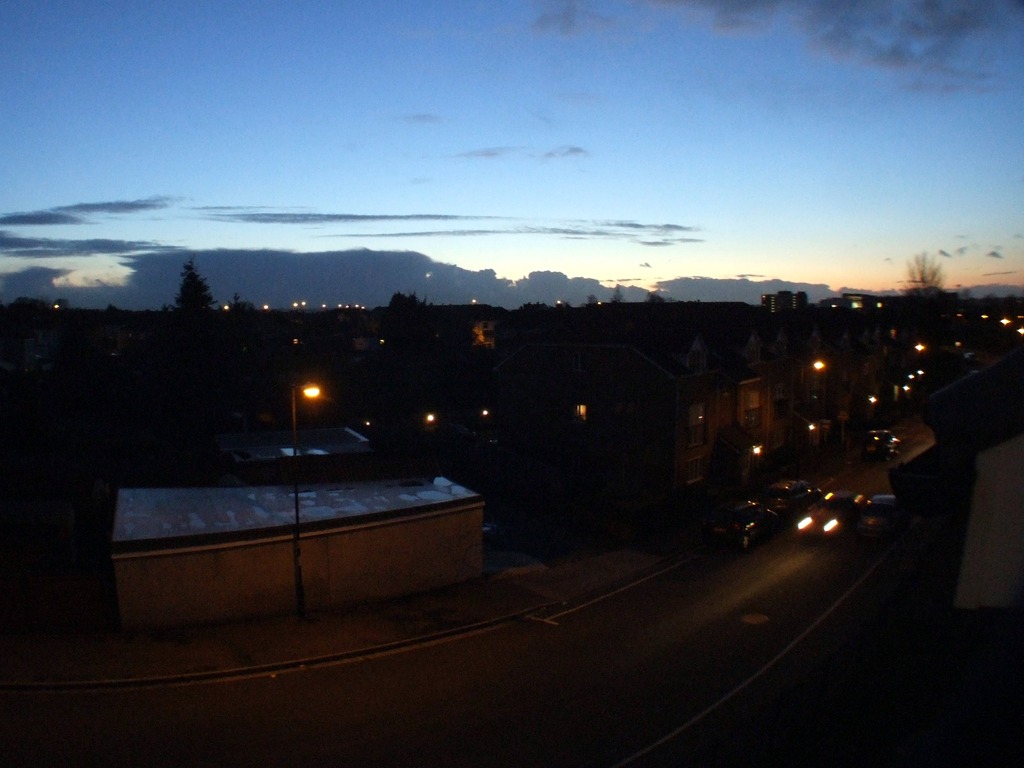
An evening view

The other night, I saw a strange cloud formation at a weather front forming around sunset. I rushed to get my camera to capture it before it disappeared. The result of my haste is a pretty poor picture of a weather front, but I like it because of the way the fish eye lens curves the street.

Shame I also left it in automatic mode – the dark areas are quite noisy.

An evening view

My 35mm pinhole camera

After I posted the other day about building a pinhole camera, I immediately ordered a body cap from eBay. Last night it arrived, and here’s how I made my pinhole camera.

Making the pinhole “lens”

Not only do pinholes have to be tiny in diameter, they should also be made through a thin material. I didn’t even attempt to make a pinhole directly in the body cap. I drilled a 10mm hole and superglued a piece of tin foil over the hole. Using a fine pin, I made a small hole.

Front of pinhole lens
Rear of pinhole lens

Uh, that’s it. Most guides I write have more steps than this, but making a pinhole “lens” for an SLR really is this easy.

What’s the f-number?

The formula for working out the f-number is pretty simple:

           focal length
f-stop = -----------------
         aperture diameter

The aperture diameter is the diameter of the pinhole, and the focal length is the distance between the film and the pinhole.

The Canon AE-1 Program has a small mark on the side to indicate the position of the film plane. The rough distance between this mark and the pinhole is 36mm. Getting a decent estimate of the pinhole is a little trickier, as I need to measure the diameter of the pinhole. The best I could come up with was to take a picture of the pinhole next to a ruler with my Fuji S9600 and a macro lens.

The pinhole
The pinhole

I reckon that’s approximately 0.2mm across.

          36
f-stop = ----- = 180
          0.2

So this is a pretty tiny aperture, and we are going to need long exposures to get it to make a decent picture on film.

Earlier on I pointed the camera out of my window. With the shutter set to its slowest value of 2 seconds, the meter reckoned it wanted an aperture of 8. 180 is 22 times greater than 8, so I need to make my shutter 22 times longer than 2. So we are talking 40-odd seconds for outdoor landscape photography in daylight on ISO200 film. In lower light conditions and perhaps on ISO125 film (such as my Ilford FP4) it’s easy to see that I might need to expose for 2 or 3 minutes.

Although 2 seconds is the longest my SLR can do automatically, it has a mode where the photographer can hold the shutter release for as long as necessary. Never thought I’d need a stopwatch for my photography! 🙂

My 35mm pinhole camera

The advantage of making a removable pinhole lens is that I can carry it around and easily change between lenses.

Keep an eye on my photo blog. When I’ve got this film developed I’ll scan and post the pinhole images there.

Update: I have now uploaded some of the pinhole photos.

Building a pinhole camera

The other day, I was suddenly taken by an urge to build a pinhole camera. I vaguely recall building one out of a shoebox at primary school that projected a dim image onto some tracing paper, but now that I have the equipment and a little experience in developing films at home, I thought it might be fun to make a pinhole camera that can work with film to make permanent images.

Medium-format sheet film is the ideal thing for such an application. While I have the stuff to develop 120 film, I don’t have any means of scanning it. So my system will be using regular 35mm film, which is more convenient for me.

This got me thinking about how to mount the film in the pinhole camera. Obviously when using small film, the camera needs to be shorter to project a smaller image. Could be fiddly to load individual frames of 35mm film into an oxo box! So I wondered about using the body of my Canon AE-1 Program, basically as a film holder.

But I wasn’t sure how easy it would be to cut a hole in the side of a cereal box and shove a camera in there without letting light in. So I considered building a pinhole camera around the body of my AE-1. Maybe I could jam a toilet roll tube into the FD mount, or something.

Then I found this much more sensible guide, Making a pinhole lens for an SLR. It describes how to make a body cap into a pinhole “lens”. It’s completely light-proof, easy to make, and causes no damage to the camera (assuming you have a second body cap).

So, I’ve ordered a body cap from eBay and I will be making it into a pinhole “lens”. I will, of course, scan and post the results on my photo blog. There will probably be some kind of review on this blog, too. Watch this space!

Cities I’ve Visited

As much as I hate Facebook for its annoying apps, there are one or two good ones.

Cities I’ve Visited is one such app that I like. You can add new cities either by scrolling, zooming & clicking, or by typing in a name. I like maps so I find it pretty interesting to see where I’ve been.

The application itself uses the Google Maps API so it’s interactive. Unfortunately the embedded version of this app for blogs is just a static image. You can’t change the zoom level or centre point, which is annoying, since you can see I’ve never been to America or Asia.

One day I might have a go at building my own app for fun. It shouldn’t be horrifically difficult to build a simple, single-user app for having an interactive map with points on it. The difficult parts are making it multi-user, and having a system for adding cities by name (rather than by grid reference).

I could even steal the work of my colleague, who built a map of wireless hotspots at Bristol University.