Diving in at the deep end of cinematography

Super 8 cameraOK, cinematography is a fancy word for it. I’ve been given a reel of Super-8 film that I want to use, despite various hurdles. Let me explain.

I’ve had a collection of Super-8 films and a cine-projector for a while now. I even put a couple of them on YouTube. I also have a Super-8 cine camera, although it has never been used due to the cost of film and processing.

KodachromeA Super-8 cartridge contains 50 feet of film, which is enough for 3 minutes and 20 seconds at the consumer framerate of 18fps, or just 2 minutes and 30 seconds at the industry standard framerate of 24fps. These cartridges cost more than £10 these days, often £15, and processing is about the same again. I’m no stranger to the cost of shooting still film where I often spend £1 per shot on film and processing, but to shoot Super-8 it is likely to cost £10 per minute of footage – so I’ve never tried.

Today I was given an unused Super-8 cartridge as a surprise gift, so it seems a shame to waste it. Unfortunately, the film stock is Kodachrome positive transparency film, which is not manufactured and cannot be processed these days, neither for love nor money.

Given that it can’t be processed as colour transparency, I wondered if I would be able to process it myself as black & white. It seems mostly easy to process it as black & white negative – you just use regular B&W developer, stop bath, and fixer.

One snag is that the back of the film is coated with something called a rem-jet backing. While still photographic films are transparent, some motion picture films had an opaque carbon coating on the back to prevent the build-up of static electricity while the film was moving through the camera at a high speed. I did some reading, and according to this thread, it is possible to remove it in a home darkroom after development but before fixing, by using an alkaline bath made of sodium sulphate, sodium borate, and sodium hydroxide. Then you have to use a cloth and/or a squeegee to remove the rem-jet from the film, taking care not to let it stick to the front of the film. It sounds tedious, but not impossible for a mere 50-foot film.

Super 8 projectorBut a negative film is not much use for projection. It’s only really useful if you want to convert it to digital using a telecine, and are able to invert the colours digitally. Whilst I do have the facility to do this, taking the digital way out hardly suits a project that was started by scraping rem-jet off the film stock with a squeegee.

Fortunately, the good people at Ilford have published a guide on how to process black & white negative film to end up with a positive image – known as reversal processing. It looks quite tricky, and requires a few chemicals I don’t already have. Fortunately, working at a university and having geeky friends in the science faculty means I can hopefully barter some ale for what I need. Once I’ve got that, the reversal processing is a few steps performed after the normal negative processing.

Super 8 reelSo that’s the plan. Hopefully, if…

  • I can find a subject worthy of shooting, and
  • the film has not expired, and
  • I can calculate/invent the times needed for B&W negative processing, and
  • I can obtain the chemicals required to remove the rem-jet, and
  • I can obtain the chemicals require to do the reversal processing, and
  • I don’t mess anything up

… then I should end up with 50 feet of positive black & white transparency film that I can project at home. I’ll be sure to take careful notes and publish them here in the future. No doubt other people have Kodachrome, both still photography and motion picture versions, and would be interested in processing it.

This had better be worth the trouble. So what’s everyone else’s New Year’s resolution? 😉

4000th negative

It’s not just the year 2014 that rolled over yesterday – I also developed two films and added the negatives to my database, which rolled over 4000 negatives too.

The first film I shot with my Zorki 4 rangefinder, mostly at the German Christmas market in Bristol. I also took some pictures when my colleague Chris upgraded his awesomeness by buying a boat, and took me for a short spin around Bristol floating harbour.

KMZ Zorki 4
KMZ Zorki 4

The second film was shot with a toy camera I picked up in a charity shop a few months ago. It’s a Lomo ActionSampler, has 4 lenses and takes 4 pictures in quick succession after each other. It has no focus or exposure controls, plastic lenses and a cheap construction. It’s not normally something I’d go for (especially at the retail price of £29) but when I found it for £2 I couldn’t resist.

Lomo ActionSampler
Lomo ActionSampler

Both films were shot on Kodak Kodacolor 200, which I picked up from Poundland. It’s a pretty poor film, but fun for playing with. The 4000th negative itself wasn’t any good so I haven’t published that particular one. Here are some others from both films that I quite liked.

I noticed a few things about these pictures. As the light was low at the Christmas market, most of those pictures taken with the Zorki camera and Jupiter-8 lens were shot wide open at f/2. Like many lenses of its era, it exhibits aberrations wide open, but I’d never really noticed them before. In the pictures of the vertical strings of fairy lights, and the fairy lights over the stalls, you can see that the points of light have become triangles and are all pointing towards the centre of the frame. This is caused by comatic aberration, and is fixed by closing the aperture down a bit. (And no, this isn’t the same issue my telescope had!).

As for the ActionSampler, the optics are awful and all of the images are very soft and low in contrast. I included the sun in some of the pictures but they ended up as a mess of haze. I also noticed that the four shutters work at inconsistent speeds. On the landscape-format pictures, the camera exposes the top-left frame first and continues anti-clockwise. The two frames on the right hand side (the third and fourth exposures) are always a bit brighter. It’s a fun little camera, though.

So in summary, obvious headlines are obvious:

  • If you use a 1950s Russian lens wide open, you get coma, and it can be pretty
  • Toy cameras are crap

Happy new year 🙂

Wide angle lenses

Horseman 980
Horseman 980

Since I embarked upon my Somerset Towers project, I’ve visited over a dozen churches across the country to photograph them with my Horseman 980 view camera. It’s barely made a scratch in the project, but I have learnt a lot already.

View cameras are appropriate for architectural photography because they allow the photographer to capture a tall church without distorting it and making the tower appear to lean. However, a major drawback of view cameras is the smaller choice of lenses, especially towards the wide-angle end of the range. The widest lens available for my Horseman 980 has a focal length of 65mm, which on the 6×9 format gives you a diagonal angular view of about 76°. Lots of the Somerset Towers are set in small churchyards with lots of trees, so it simply isn’t possible to move further away from the church to fit it all in.

This leaves me with no choice but to go wider and use a lens with a shorter focal length, which in turns means moving to a different format and giving up my view camera for some of these shots. I made a few notes about my collection of lenses to see which ones were wide enough for the job. However you can’t simply compare the focal lengths – you also need to know the size and aspect ratio of the negative format you’re using. You can’t simply compare the size and crop factor of those formats without compensating for the aspect ratio.

This diagram shows various common film formats, ranging from 6×9 (medium format view camera) down to APS-C (digital SLR).

Film formats
Film formats

For the purposes of my project, I want to use as large a film format as possible, so if 6×9 is not possible due to a poor choice of lenses, I’ll have a look at my 6×7 equipment. Failing that, I’ll have to resort to 35mm equipment. Let’s have a look at my widest lenses on each format. Lens specifications only usually quote the diagonal field of view but if you know the dimensions of the film format, you can use some trigonometry to work out the horizontal and vertical angles too.

Lens Format Diagonal angle of view Horizontal angle of view Vertical angle of view
Horseman Press 65mm f/5.6 6×9 76° 66° 47°
Mamiya Sekor C 50mm f/4.5 6×7 84° 70° 58°
Canon FD 28mm f/2.8 35mm 75° 65° 46°
Canon FD 24mm f/2.8 35mm 84° 74° 53°
Canon FD 17mm f/4 35mm 104° 93° 70°

To illustrate my point, you can see that both the Mamiya 50mm and the Canon 24mm lenses offer the same diagonal angle of view – but because the 6×7 format is squarer than the 35mm format, it offers more vertical coverage and less horizontal coverage.

Given that most of the churches are too tall for the frame rather than too wide, I will use my Mamiya RB67 with its 50mm lens for the shots that can’t be done with the view camera. I can use the Canon FD 17mm as a last resort!

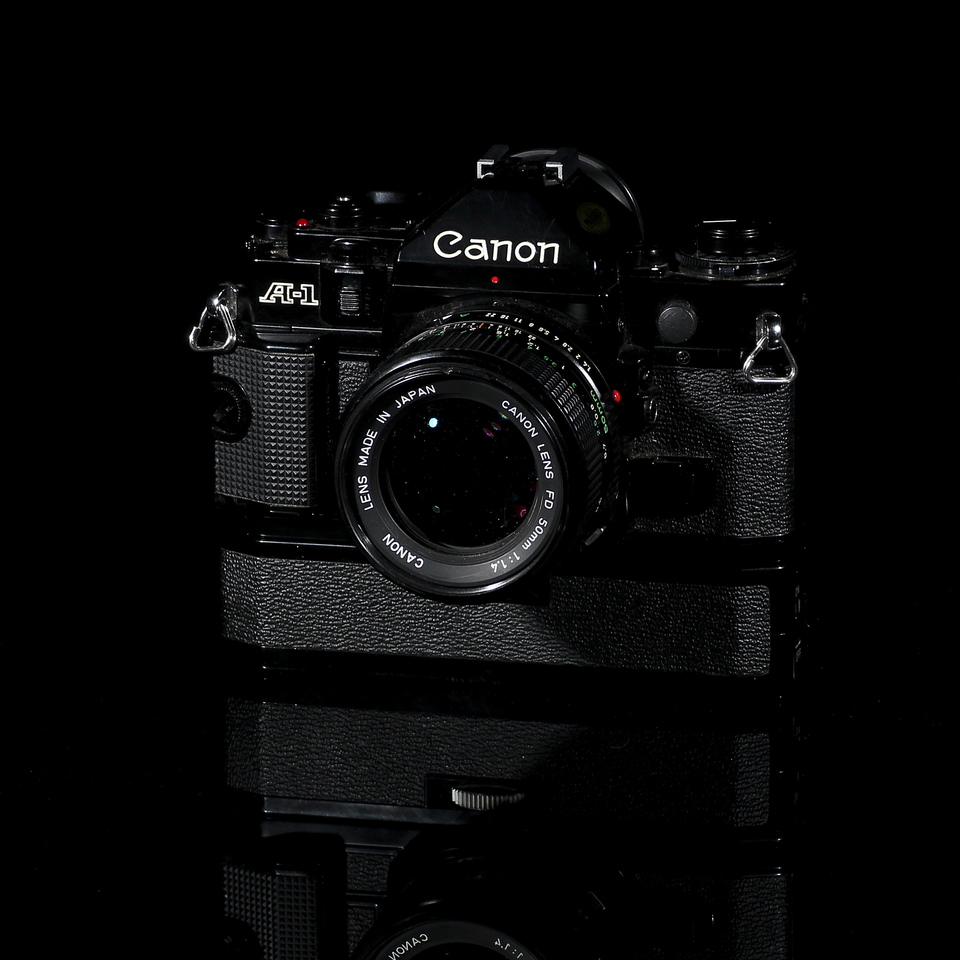
Canon A-1

Released 1978

I own several Canon FD-mount SLRs but I’ve fancied an A-1 for a while. I think it’s the alluring black paint, rather than the silver fixtures of most contemporary SLRs. I think these hard-edged SLRs are much prettier than the curved plastic bodies that appeared in the 1980s.

The A-1 also has the advantage over most of my other Canon SLRs (the AE-1P and the FTb, but not the T90) that it can be used in aperture-priority as well as shutter-priority mode.

See all photos taken with the A-1.

Canon A-1
Canon A-1

At a glance

Lens Canon FD mount
Film 135
Focus SLR split screen & microprism
Meter CdS with program

Light pollution

Being an city-dwelling astronomer, light pollution is a huge problem for me. Sure, I love the urban convenience of Tesco Extra for emergency overnight bacon but the orange glow of sodium street lights really ruins a night of stargazing. I always drive to my dark site in rural Somerset for “proper” stargazing nights and there it is pretty good – but you can still see the glow of Bristol on the horizon, and it is difficult to photograph objects too low in the sky.

I decided to buy an Astronomik CLS-CCD filter which blocks the sodium and mercury wavelengths associated with the most common types of light pollution, while still allowing the important emission lines to reach the camera’s sensor. This diagram shows the transmission of the filter, allowing everything under the red line to pass while blocking the wavelengths between.

Astronomik CLS-CCD filter transmission

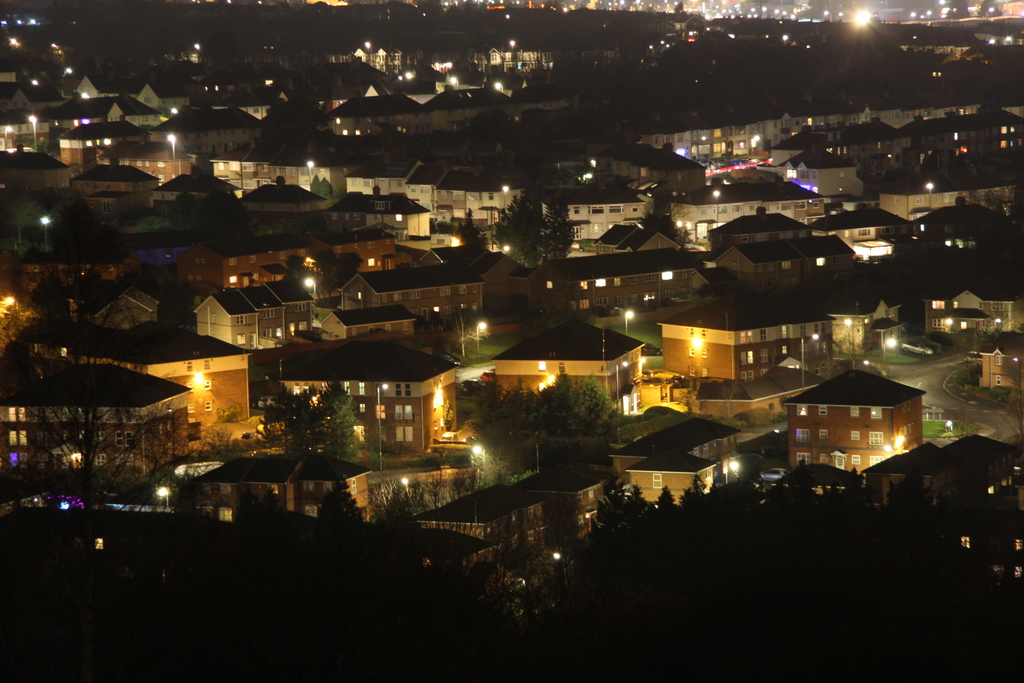
The discontinuous transmission causes objects seen with the naked eye through the filter to appear purply-green so it isn’t really appropriate for daylight photography. However, I decided to march up Trooper’s Hill in Bristol, which overlooks most of the city along with its light pollution, and see if the filter helped.

Astronomik clip filter

For this highly scientific experiment, I used two Canon EOS 600D cameras, one fitted with a CLS-CCD filter. I used a Canon EF-S 17-85mm lens for the non-modified camera, and a Canon EF 28-80mm lens for the modified camera. The “clip” filter obstructs the opening of the SLR’s mirror box and it is not possible to use an EF-S lens with this filter, as they protrude too far into the body.

I set both cameras to ISO 400. Using aperture priority mode set to f/5.6, I photographed three scenes with varying levels of light pollution, letting the camera decide the shutter speed. Then using the modified camera, I used manual exposure to set the same exposure values to ensure a like-for-like test. All images were taken at (roughly) the same focal length. The unmodified camera used auto white balance, so the colours are funny. The modified camera used a custom white balance to sort of compensate for the filter, so the colours are also funny 😉

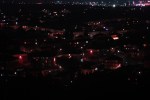
  • A – Bristol cityscape photographed at 35mm, 4″, f/5.6
  • B – houses photographed at 80mm, 6″, f/5.6
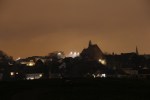
  • C – St Aidan’s church photographed at 80mm, 6″, f/5.6

As you can see, the filter is pretty good at blocking a lot of light pollution. Of course it’s not 100% effective and there is still a lot of white light pollution from incandescent lights that can’t be selectively filtered in this way. However, it’s a huge help and will really boost the contrast and chase away that last little bit of light pollution at my dark site.

Mittens waits for Christmas

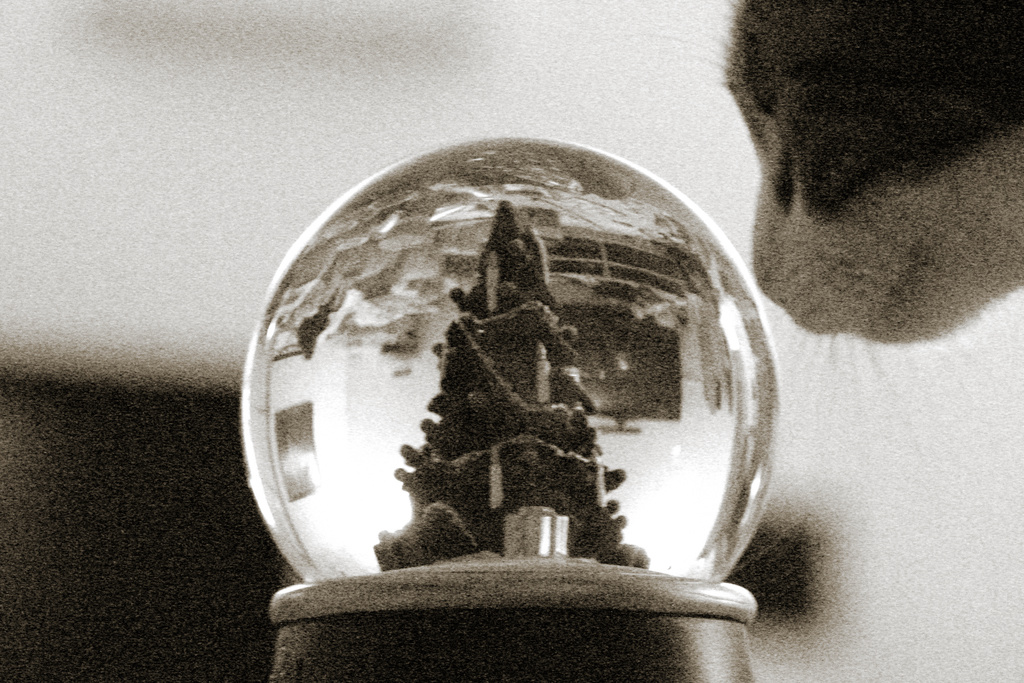
This picture was a happy accident while I was attempting to take a picture for the Advent-themed photo challenge this week.

Mittens and a snowglobe

I was attempting to set up a snowglobe with lights behind it. I was also going to shake the snowglobe to set the snow swirling around. I was just testing focus when Mittens came along and stuck her head into the shot. Impatiently, I shooed her away.

When I looked at the pictures on my computer later on, I liked the nostalgic feeling of a cat apparently gazing into the snowglobe, and wishing for Christmas. So I’ll pretend I’d planned this shot all along 😉

Always Top Quality, We Insist

I recently looked at the website of the manufacturer of my telescope, Guan Sheng Optical, better known as GSO.

I love the juxtaposition of their tag line, “Always Top Quality, We Insist”, with a bunch of gobbledegook (click for bigger version).

GSO website banner
GSO website banner

To be fair to them, my GSO telescope is really excellent and I’m very pleased with its quality. Shame I can’t say the same about their website! 🙂

How big are Messier objects in pixels?

Now I am getting some more experience with some of the brighter Messier objects, I decided to have a look at the catalogue and see how bright and how large some of the objects are – basically what I can expect to see in my telescope.

All the copies of the Messier catalogue floating around on the internet state the size of the objects in arcminutes (1 arcminute = 1/60th of a degree, just like 1 minute = 1/60th of an hour). I don’t actually know what an arcminute looks like, nor how many of them will fit in my telescope’s field of view – which depends not only on the telescope but also on the size of the camera’s sensor. I decided to put together a quick spreadsheet to do a few vital calculations about the telescope and camera combo, and then to generate a version of the Messier catalogue that shows the size of the objects in pixels. For photographers, this is a much more familiar unit and can help decide which objects to attempt to photograph, and whether or not you should enable drizzling to boost the resolution.

If you’re keen, you can grab the spreadsheet right here. I recommend you read my brief notes below for best results (sorry, I know it’s dull).

Messier objects

Notes on how to use the spreadsheet

Go to the first tab, Constants. In the top grid, labelled Enter these constants, do as it says and fill the numbers in. My 6″ f/5 telescope has a focal length of 750mm and the sensor in my Canon EOS 600D is 22.3×14.9mm and 5184×3456 pixels in size.

Now look at the lower grid. Here are a bunch of statistics calculated from the data you entered. The useful figures here are the size of the pixels in microns (4.3μm in my case, pretty small compared to a dedicated astronomic CCD) and the X and Y field of view in arcminutes and degrees. This is the data we need to compare the size of the Messier objects to the size of my sensor.

Now flip to the second tab, Catalogue. This is a pretty normal version of the Messier catalogue except that as well as showing the width and height of the objects in arcminutes, it also shows it in pixels. Just to make it explicit, there’s also a column that tells you if the object will fit on your sensor or not.

I hope this quick spreadsheet proves useful to someone. Please do let me know if you spot any mistakes etc.

Horsehead nebula

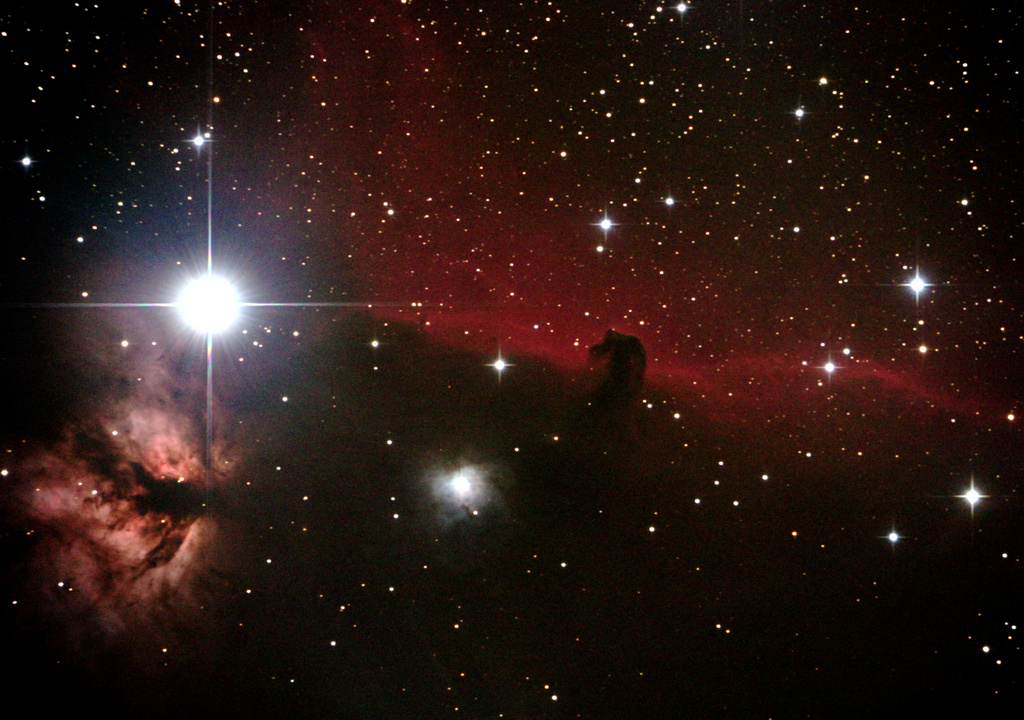
While the weather in Scotland and the North has been terrible today, that wasn’t the case in Somerset last night. It was still, clear and moonless, so I decided to head out for some astronomy. On my previous excursion I looked at as many bright and interesting objects as possible, but the photos didn’t do them justice. This time I decided to concentrate on just one object and to do it properly.

I picked the Horsehead nebula from IC434. Last time I only had six frames and the result was very noisy. This time I took 30 frames of 50 seconds, for a total of 25 minutes. I also took 10 dark frames. As usual I used my GSO 6″ f/5 Newtonian telescope, with full-spectrum Canon EOS 600D, using a filter to cut out IR and UV but retain deep red around H-α where most nebulae emit strongly.

Horsehead nebula
Horsehead nebula

It’s still a bit noisy for my liking, but you can see the nebula clearly. In future I will use a polar finder scope to improve the alignment of the mount and hopefully this will give me the ability to expose for longer. I managed 50 seconds without blurring this time, an improvement on 45 seconds last time. If I can make it to a minute and a half, I can switch the ISO down to 6400. With autoguiding, which I hope to have in the new year, 2-3 minutes should be easily achievable and noise will become much less of a problem. I could also remove the IR-cut filter and scoop up more light from across the whole spectrum. Not sure how it would look, but I might be able to reduce the ISO by doing this, too.

Finally – round stars!

This was my telescope’s first outing since I fixed up its mirror cell. A quick glance at a bright star in the city seemed to indicate that the problem was fixed, but there’s no way of knowing for sure without trying some proper photography. Recently the three circles in this Venn diagram have been conspiring against me, but last night it was clear, moonless, and I had a free evening. A friend came along to have a peek through the telescope at my dark site in Somerset.

Astronomy Venn diagram

The good news is that the triangular stars have been completely cured, so I’m extremely happy. We proceeded to take pictures of several of the brighter Messier objects. As I had company I didn’t want it to be too “boring” by taking hours of exposures, so instead we visited quite a few of the brighter Messier objects and took a relatively small number of exposures of each.

All of these pictures are composed of 45-second exposures, which is about the longest I can manage unguided. That should change when I get hold of an autoguider and guide scope. For now, these stacks were shot at very high ISO and with not many frames, so they are quite noisy. However, you can clearly see that the optics are good.

M42 Orion nebula
M42 Orion nebula
M31 Andromeda galaxy
M45 Pleiades cluster
M33 Triangulum galaxy

Last but not least, this is the first occasion that I have observed the Horsehead nebula in IC434. The horse’s head is towards the right hand edge. The image is very noisy, but not bad considering this is just six frames.

IC434 Horse's head nebula
IC434 Horse’s head nebula

Now I’ve proved that the telescope works, and I can use it reasonably well. I still need more practice with polar-aligning the mount, which will in turn let me do longer unguided exposures and be able to turn the ISO down, resulting in less noise. I’ll also capture more frames and be able to produce a better stack.  One thing is clear: I need to learn proper techniques for image processing!