MSI motherboard woes

About a year ago, I built a computer based upon the MSI P45 Neo3-FR motherboard. I chose it because it offered the ICH10R chipset with Intel Matrix fakeraid (but that’s a whole other story).

Overclocking

At the time, I was disappointed with the board because I was not able to overclock – not one tiny bit. My CPU is an Intel Core 2 Quad Q8200, and many people had reported large gains in overclocking while still running at a low temperature and with excellent stability.

Naturally I wanted a slice of the overclocking pie – partly for the fun and satisfaction for doing it, and partly to get even more bang for my buck.

The MSI BIOS included lots of settings for overclocking and overvolting the RAM and CPU. However I quickly found that any change whatsoever caused the system to not boot. Of course I started off conservatively and I tried all sorts of combinations but I never got the system to boot with any settings other than the exact defaults.

I was disappointed, but ultimately it wasn’t a big deal. The Core 2 Quad system was still a massive step upwards from my former system – an AMD Athlon X2. Even running at factory settings, it ought to be a very capable system.

Hackintosh

More recently, I’ve been wanting to build a Hackintosh. Fedora is a pretty damn good OS but there are one or two things it can’t do. For example, it doesn’t support my 35mm film scanner, and I can’t play my games.

OS X can do these things, and I greatly prefer it to Windows – even Windows 7, which is the best Windows in a long time, I reckon.

It’s a shame I hadn’t planned to make a Hackintosh before I bought the MSI motherboard, as I would have known that the most compatible boards are the Asus P5Q series.

Still, worth a shot with my P45-based board. I was able to get pretty far – I could get all the way through the OS X installer and it seemed fine. However, booting my freshly installed Snow Leopard caused it to freeze. I read millions of forums (not an exaggeration!) and it seemed that an incompatible BIOS might be the problem.

Some members recommended flashing with a custom-made BIOS, but I considered that a last resort. A sensible first step seemed to be to update to the latest MSI BIOS. Perhaps this alone would get my Hackintosh working and then I could ditch Windows as a secondary OS.

Live Update

MSI provide some Live Update utility that can allegedly update drivers and the BIOS from an ActiveX applet. Naturally it requires Internet Explorer on Windows, which as you can guess is not a combination I run on my computer. (However, I’ve never been able to make it work at all on any MSI-based system, Windows 7 or Vista)

Flashing the BIOS

The alternative is to download the BIOS image and the flashing program. It’s a Windows exe file. Of course Wine doesn’t help in this case because the program needs low-level access to the hardware. My only option is to boot from some kind of Windows media.

According to the readme file that came with the BIOS flashing program:

Boot your system from a Win98 or WinME boot-floppy.
How to make boot floppy in case your don’t have it ready:

  • For Win9X, You can type [C: format a:/s] from the DOS prompt.
  • For WinME, You can make a boot floppy from control panel–> add/remove program–>make boot floppy. Remove autoexec.bat & config.sys file if there’s any.
  • For Win2000, there’s no way to make boot floppy, so you have to either use Win9X or WinME boot floppy.
  • For WinXP, you can make a DOS boot disk. Go to Your Computer, right click drive A:, select Format, select copy system files.

If you do not have Windows ME or 98 to create the floppy you can make one on a friend’s computer.

Well that’s good, isn’t it. MSI officially recommend that I use a decade-old operating system on some hardware invented in 1983 (before I was bloody born!). Never mind the  fact that I don’t have a DOS boot disk, or a legacy Windows machine, or that my new computer doesn’t have a floppy drive. The solution? Oh it’s OK, I’ll go and ask a friend. Oops, scrap that – they all run BSD.

By chance, I have an IBM Thinkpad 760EL in my drawer, running Windows 3.11. Like all laptops of its era, it has a floppy drive, and being an IBM it still works perfectly. The battery life isn’t what it used to be but it still goes for half an hour and boots faster than a modern laptop running Vista. Of course it was easy to create a bootable DOS system disk.

Less straightforward was getting the BIOS program and image onto this bootable floppy. A straight-from-1991 copy of DOS 5.0 is unlikely to support USB mass storage, I reasoned. I managed to find an old floppy disk and connect it to my PC’s motherboard. My PSU didn’t have a floppy power connector so I had to make one by cutting up some old power cables and twisting the wires together. Finally I was able to boot into Fedora normally, mount the floppy disk and copy the files onto it.

Rebooting seemed to go OK and booting DOS didn’t cause any problems. After I got over my annoyance at the lack of tab completion, flashing the BIOS was easy. I powered off and on to make sure it had worked, and attempted to boot into Fedora.

Oh noes!

Apparently upgrading the BIOS didn’t go so smoothly after all. The new BIOS has more bugs than a dead dog in a New Delhi drain. It just…. doesn’t work.

  • My RAM, formerly clocked at its native speed of 1067MHz is now running at 800MHz and can’t be made to go faster.
  • My hard disks no longer work in AHCI mode. Random faults and reboots occur. I have to disable AHCI and go with IDE.
  • Onboard networking seems to have disappeared.
  • Any change to the hard disks (e.g. unplugging one, or swapping two over) cause the system to become non-bootable until the BIOS has been reset by pulling the jumper.
  • The CPU fan and case fans now always spin flat out, regardless of what the options are set to. This PC now sounds like a Dyson.

Seriously, if I wanted a computer with IDE disks, slow RAM and no networking, I’d still be using the Thinkpad. The fact that it has been in my drawer for years is a good indication that I do not want these things.

I’ve given up on building a Hackintosh on this hardware. It’s a world of pain. All I want is my old setup back, like it was this morning. However, I haven’t yet worked out how to fix this problem. Probably reverting to an older BIOS is the best way to go – unfortunately I didn’t make a note of which BIOS revision I was running before.

I had a look at the changelog of the various revisions to see if there was any that jumped out at me as a good one to try. Unfortunately there are loads, and even when you get your head around the Engrish, the changelog makes for pretty worrying reading. It’s full of things like this:

Fixed system report incorrect memory size when install 4G memory.

I mean, how on Earth did the original version that didn’t work with 4GB memory get past testing and find its way into a release? The fixed version came over 2 months after the previous version, too.

I guess I’m going to have to try and find a suitable BIOS revision through trial and error, just to get my old system functionality back. And then when I’ve got the spare cash, I will be replacing the board with an Asus P5Q, which will hopefully work with a Hackintosh build.

Oh, and maybe it will let me use AHCI, too.

MSI are useless.

</rant>

Update

To my delight I just found out that the motherboard is two weeks younger than one year old – so eligible for a warranty return. This is a real rarity – usually stuff breaks two weeks after the warranty period.

Ebuyer say I’m only entitled to a replacement, not a refund. However they no longer stock the MSI P45 Neo3 (must have been an unpopular model – can’t think why!) so it’s likely that I’ll get store credit and be able to pick a motherboard that works 🙂

Autumn on film

I’ve just got another roll of film back from the developers. This time I had it done at ASDA, where I was delighted to find that they don’t treat my films like junk.

Predictably, as it’s Autumn outside, the photos largely reflect this. Here are my favourites from the roll. Most were taken on Brandon Hill, Bristol.

Leaves

Pond

Tree stump

Leaf on a tree

For this next photo I used my macro lens, which has an extremely shallow depth of field. I think it’s an interesting effect.

Leaf on a table

Sock on a fence

Photo Challenge

For some time, I’ve been taking part in Stu’s Tuesday Challenge.

Recently, Stu has had great success with his East Midlands wedding photography business and so doesn’t have time for the Challenge any more.

So I’ve taken over the Challenge and rebranded it the Photo Challenge (so I’m not tied to a Tuesday). I hope the regular contributors on Stu’s blog will continue to take photos for the Challenges. It’s also an ideal opportunity for new photographers to try their hand at some of the challenges and get some feedback.

Why not give it a go?

Guidance for cyclists on bike lights

You might wonder what there is to discuss about bike lights. But in my several years as an urban commuter cyclist, and with my fascination for toys such as bike lights, I’ve made some observations which might prove useful to other cyclists.

What you need

Before you go out and buy a light, decide what your needs are. Choose a bike light to suit your needs (and budget, of course). If your daily needs cover two or more of these categories, you should consider buying either a light which ticks all of the right boxes, or two lights.

Use What you need
In traffic on lit roads
  • Flashing LED lights to be seen by drivers
  • Consider head-mounted ones to be seen above cars.
In traffic on unlit roads
  • Flashing LED lights to be seen by drivers
  • Constant lights to cast light onto the road
  • Consider head-mounted ones to be seen above cars.
On a lit, off-road cycle path
  • Constant lights to be seen by other cyclists
On an unlit, off-road cycle path
  • Bright constant lights so you can see where you’re going! You might be better off with halogen bulbs rather than LEDs here.

How to mount your lights

When you are riding in traffic and your lights are in flashing mode, I would recommend angling your lights directly forward. Most LED lights are not bright enough to dazzle other drivers, but pointing them forwards will make them appear much brighter, and will cause them to shine into the wingmirrors of cars in front of you.

If in doubt whether your lights are too bright, or inconsiderately aimed, sit in a car and get a friend to ride your bike at you 🙂

When riding with very bright lights, it’s plain rude to point them into driver’s eyes. Dip them like every other vehicle.

When riding on an unlit path, don’t use too much light because it dazzles other cyclists. Keep your lights aimed low. Flashing lights aren’t required here to attract attention, and the flashing can make it hard for oncoming cyclists to see.

Branded vs generic

As a student, I was strapped for cash and I would always buy cheap, generic bike lights from eBay. Now I have a job, I always buy Cat Eye.

In my experience, the cheap lights are usually similar in brightness but the beam pattern is never as good as a branded light. Most importantly, the cheap lights have very poor quality brackets which usually snap off long before the light breaks. One such light whose bracket broke has now been turned into a makeshift photography light, which I gave to my brother. I’m so generous!

Nowadays I almost always buy Cat Eye. They are the Coca Cola of the bike accessories world, and I’ve always found them to be consistently high quality in terms of the brackets and the brightness, beam pattern and battery life are excellent. They’re not the cheapest, but I reckon you’ll be pleased if you buy them.

Carrying spares

I think it is crucially important to carry either multiple lights or multiple sets of batteries with you while commuting. Especially with LEDs, it’s not always obvious when the batteries are running out so it’s easy to be caught short. If your lights run from AA/AAA batteries then it’s no problem to keep a spare set in the bottom of your bag all the time.

If you’re lucky enough to own a set of lights with a rechargeable battery pack, it’s not always practical or possible to carry a spare set with you. In this case you’d be wise to keep a spare LED light with you. Doesn’t matter if it’s a cheap one 🙂

Multiple lights

As well as keep a “spare” set with you, you might want to mount two or more lights on your handlebars.

I find that having two lights on the handlebars, both flashing, is a great way to attract attention. They never quite flash in perfect time and this effect is rather eye-catching.

It also means you can put out twice as much light when running in constant mode, which is great news if your commute takes you on unlit roads or paths.

I have 5 headlights on my bike. I have a pair of RSP Asteri 2 LED headlights which I use in flashing mode in the city and dim constant mode on the Bristol-Bath bike path. I have an extremely bright pair of Cat Eye ABS-35 halogens to be used on the unlit sections of the path when there are no oncoming cyclists. They have a thumb switch to turn them off quickly if anyone comes into view. And I also have a head-mounted flasher, a Cat Eye HL-EL400.

Head-mounted lights

Head-mounted bike lights are a controversial topic among cyclists and motorists.

I use a helmet-mounted front and rear light because they can be seen over the tops of cars in heavy traffic. It used to make me nervous that if I was currently being overtaken, the car behind the overtaking car might not be able to see my rear lights mounted in the usual place, below the saddle.

I also think it’s very versatile because you can choose to direct light wherever you turn your head. Part of my journey takes me along a stretch of road that has two lanes. Drivers frequently change lanes without looking sideways, where I often am. If I have a head-mounted flashing light, I can look into the car window, directly at the driver, and then they usually notice my presence.

However, one of my colleagues who drives (and also cycles) says he dislikes head-mounted bike lights because it is impossible to see a cyclist’s eyes and therefore the driver can’t always tell if the cyclist has seen the car.

Ubuntu 9.10 Netbook Remix

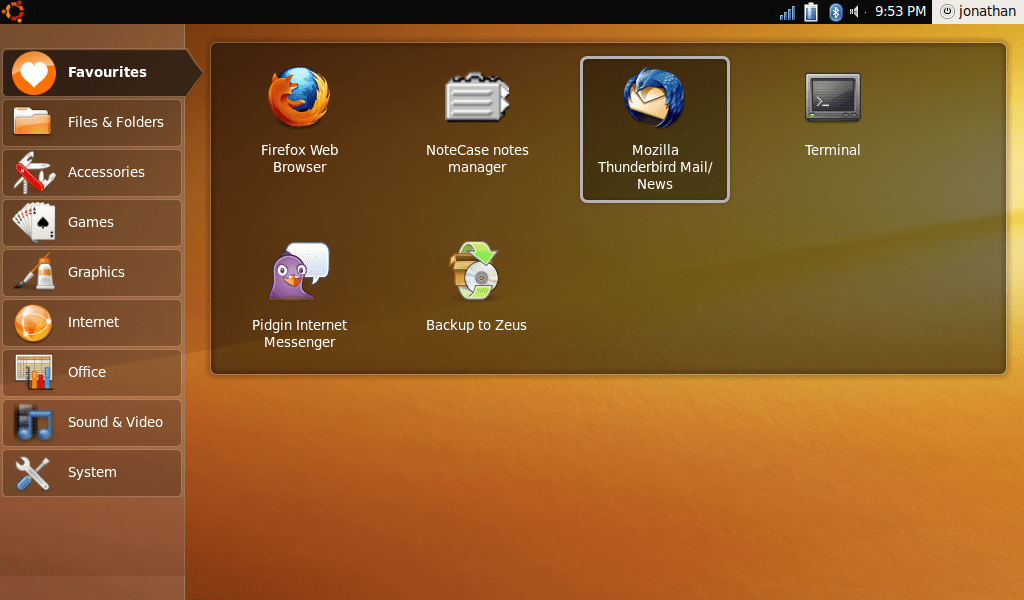
For some time now I’ve been running Ubuntu 9.04 Netbook Remix on my EeePC 901. I’ve been very impressed with it.

Today I was prompted to upgrade to the new version, 9.10. On my connection at work (via Janet) the upgrade didn’t take long at all…

Upgrade Screenshot
Upgrade Screenshot

After 9 minutes of frenzied downloading, the upgrade itself took around an hour and a half. Afterwards, I rebooted. I like what they’ve done with the UI!

Ubuntu Screenshot
Ubuntu Screenshot

The roll-over animations make it look and feel nice and polished to use. They’ve also paid close attention to certain aspects of the interface, such as the package manager. It’s a breeze to configure the system.

One notable new addition is Ubuntu One, a free cloud storage service. I have no need for it, as I have my own server, but it’s a handy feature for most people.

Most of the stuff is the same old. Most things work the same as they used to, so it takes no time at all to find your way around the new version.

Well done Ubuntu!

Stop and think

It was an interesting challenge from Stu this week.

Set up your photo of any subject.
Now stop. Think. Make THREE improvements to your photo.
…and finally take it.

I was somewhat lacking in inspiration, but since I’ve recently become interested in how to light scenes properly, this is a perfect opportunity for some experimenting and improving with an off-camera flash. I had a go with portrait lighting a few weeks ago (also a Tuesday Challenge) so this time I’ll try something a little different.

Attempt 1

I set up this relatively uninteresting scene – a picture of my 35mm SLR on a box, in front of a kitchen cupboard. Sorry, it was the best I could think of. It will probably be quite challenging due to the reflective metal areas on the camera.

Attempt 1

Nice camera, but a poor photo. It was lit using only the ambient light in the kitchen, and it’s too dark. Lots of the camera is in shade, and the top metal part is reflecting the light directly into the camera. This is a scene that could definitely benefit from some carefully directed light.

My digital camera was also in full auto mode, and due to the low light, the camera has bumped the ISO right up, causing some graininess.

Attempt 2

I popped up the built-in flash to cast some more light on the scene.

Attempt 2

As built-in flashes always are, it was a disaster. The light is too hard, too cold and probably worst of all, the “nose” of my camera is casting a shadow.

On the plus side, there is now plenty of light. It’s just in the wrong place.

Attempt 3

I put a hotshoe flash on top of my camera. This is further away from the camera lens, so it shouldn’t cast a shadow, and the greater distance between the flash and the lens should mean more interesting shadows, and a less “flat” picture.

Attempt 3

Well, this is the best so far. But the flash is still too close to the scene, and a large part of the image is overexposed. We need to move the flash somewhere else.

Attempt 4

Now I’ve got the flash on its own tripod, triggered wirelessly. This gives me the freedom to move it around and cast the shadows in any direction. I can also move it nearer or further from the scene. I’ve put a white carrier bag over the flash to diffuse its hard light a little.

The keen-eyed among you might also spot that the SLR is “looking up”. I’ve propped it up with the lid from a bottle of Coke to give it a more “sporty” stance.

Attempt 4

Ah! That’s much better. No badly overexposed regions, no hard lighting and no odd shadows. There’s also detail in the shot – you can clearly see the Canon logo now that light isn’t reflecting directly off the camera body.

It’s still a pretty basic shot, but it’s all I’ve got time for this week 😦

Oh, and if you wanted to see how I did it…

The setup shot